Jobs (Home)
Jobs is AYB's home page: the campaign control center where you create, organize, monitor, and run everything.
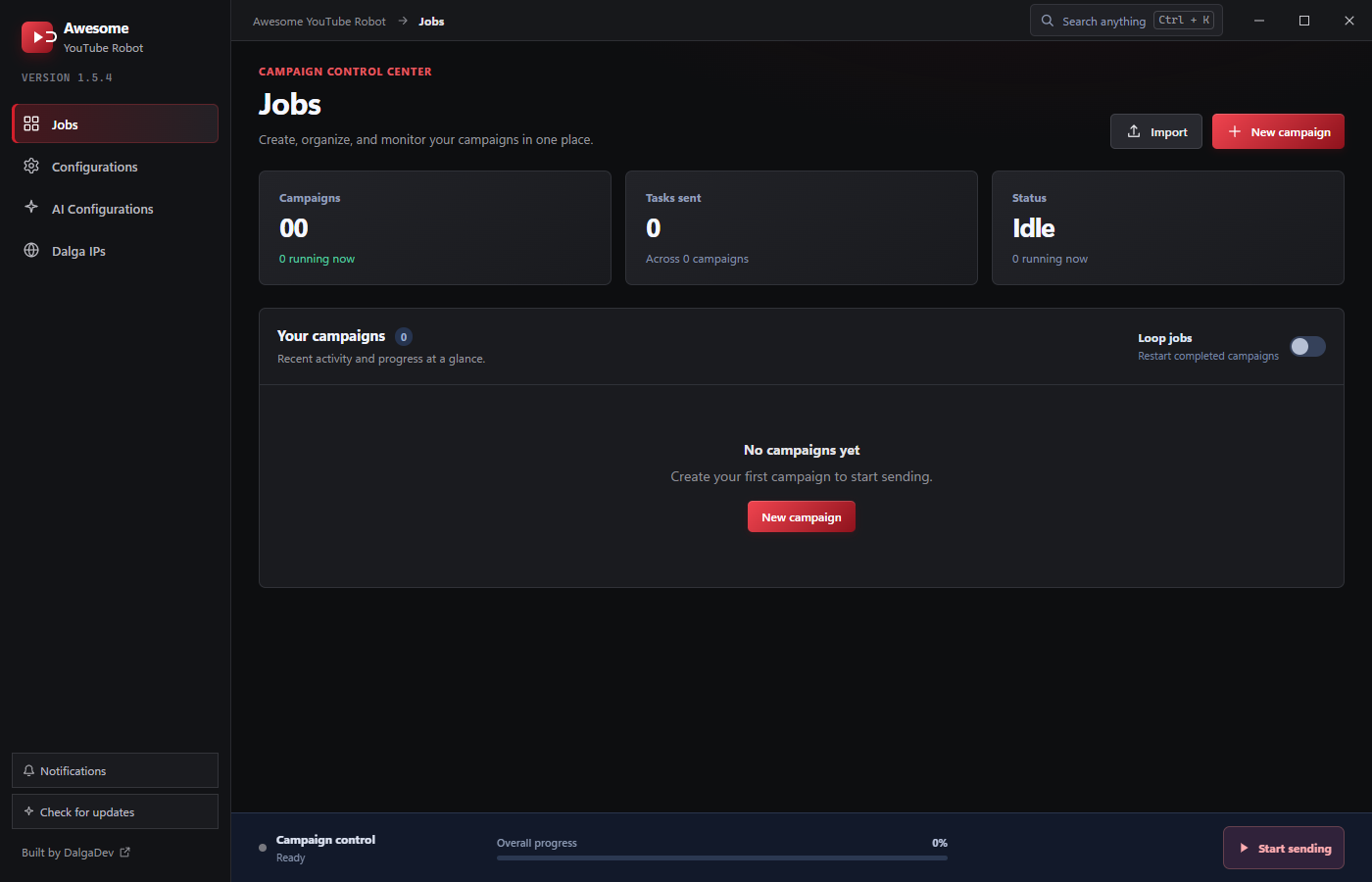
Header & stat cards
- New campaign: opens the campaign builder.
- Import: bulk-create campaigns from a text file, optionally cloning an existing campaign's settings. See Importing Campaigns.
- Campaigns / Tasks sent / Status cards: a live snapshot of how many campaigns exist, how many are running, tasks sent so far, and the overall run status.
Your campaigns
The campaign list shows recent activity and progress at a glance. Each campaign can be started, stopped, edited (reopen it in the builder), duplicated, or deleted. When there are no campaigns yet, the panel invites you to create your first.
- Loop jobs: the toggle here restarts completed campaigns automatically (kept next to campaign activity rather than on the Configurations page).
Campaign control bar
The bottom bar is the master control:
- Campaign control / status: Ready, running, etc.
- Overall progress: aggregate progress across running campaigns.
- Start sending: start (or stop) all sending at once.
Restart, continue & finish dialogs
When you press Start sending while a queue was paused mid-run, AYB asks whether to Continue from where it left off or Restart from the beginning, so you don't lose progress or accidentally re-send. When everything finishes, a completion dialog confirms all campaigns are done; if a run hits a problem, an error dialog explains what happened. Just pick the option you want to proceed.
Title bar
Every page shares the top bar: the app name, a breadcrumb, and Search anything (Ctrl + K) (the global search), plus the window controls.