Step 2: Connection
Step 2 decides how each visitor gets its IP address. Pick the connection source first; for the trade-offs between methods, read IP Changing Methods.
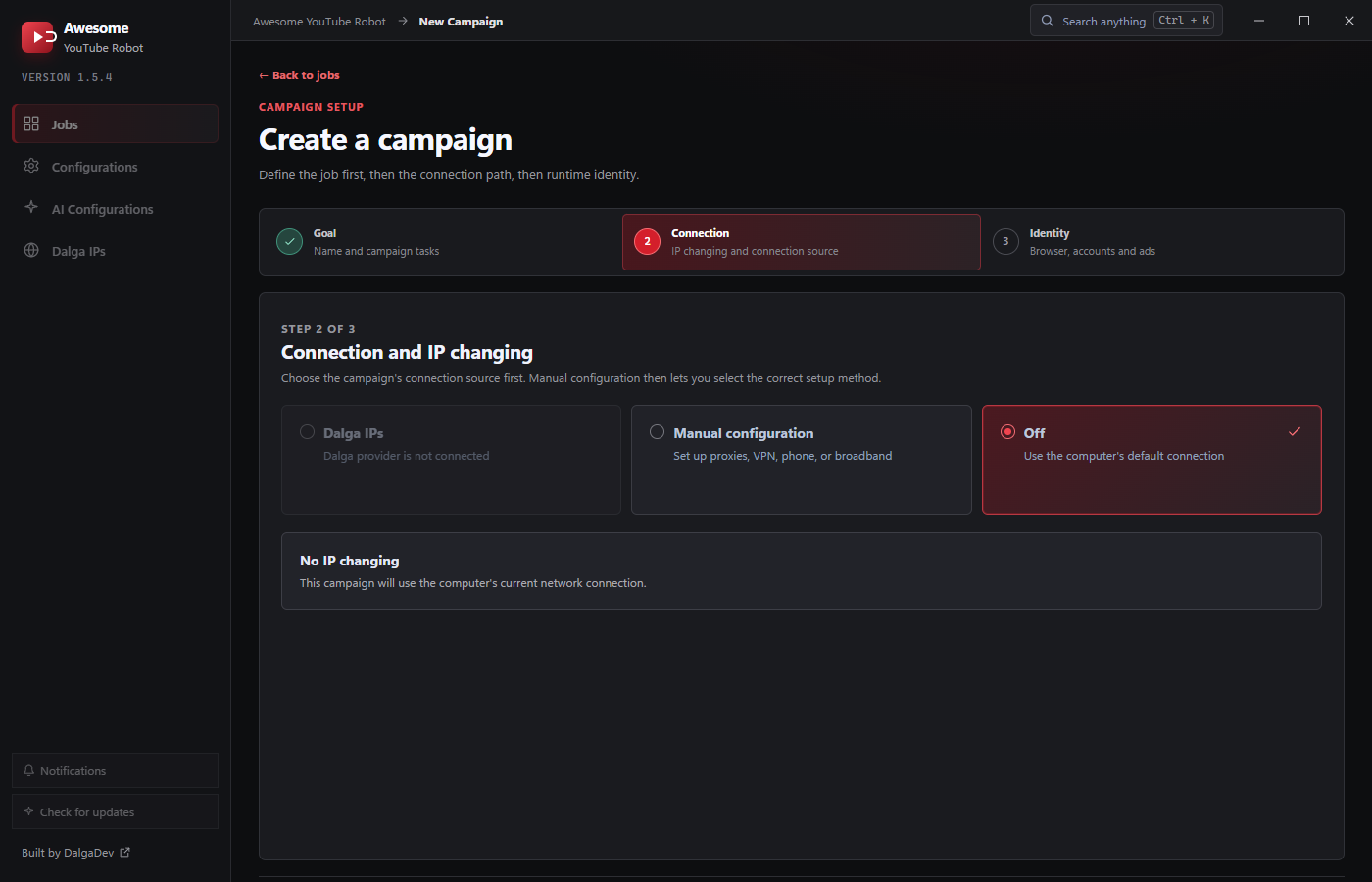
Three top-level choices:
- Dalga IPs: built-in residential proxies (see Dalga IPs). Disabled until the Dalga provider is connected.
- Manual configuration: set up your own proxies, VPN, phone, or broadband.
- Off: no IP changing; the campaign uses the computer's current connection. Good for testing.
Manual configuration
Choosing Manual configuration reveals four method tabs:
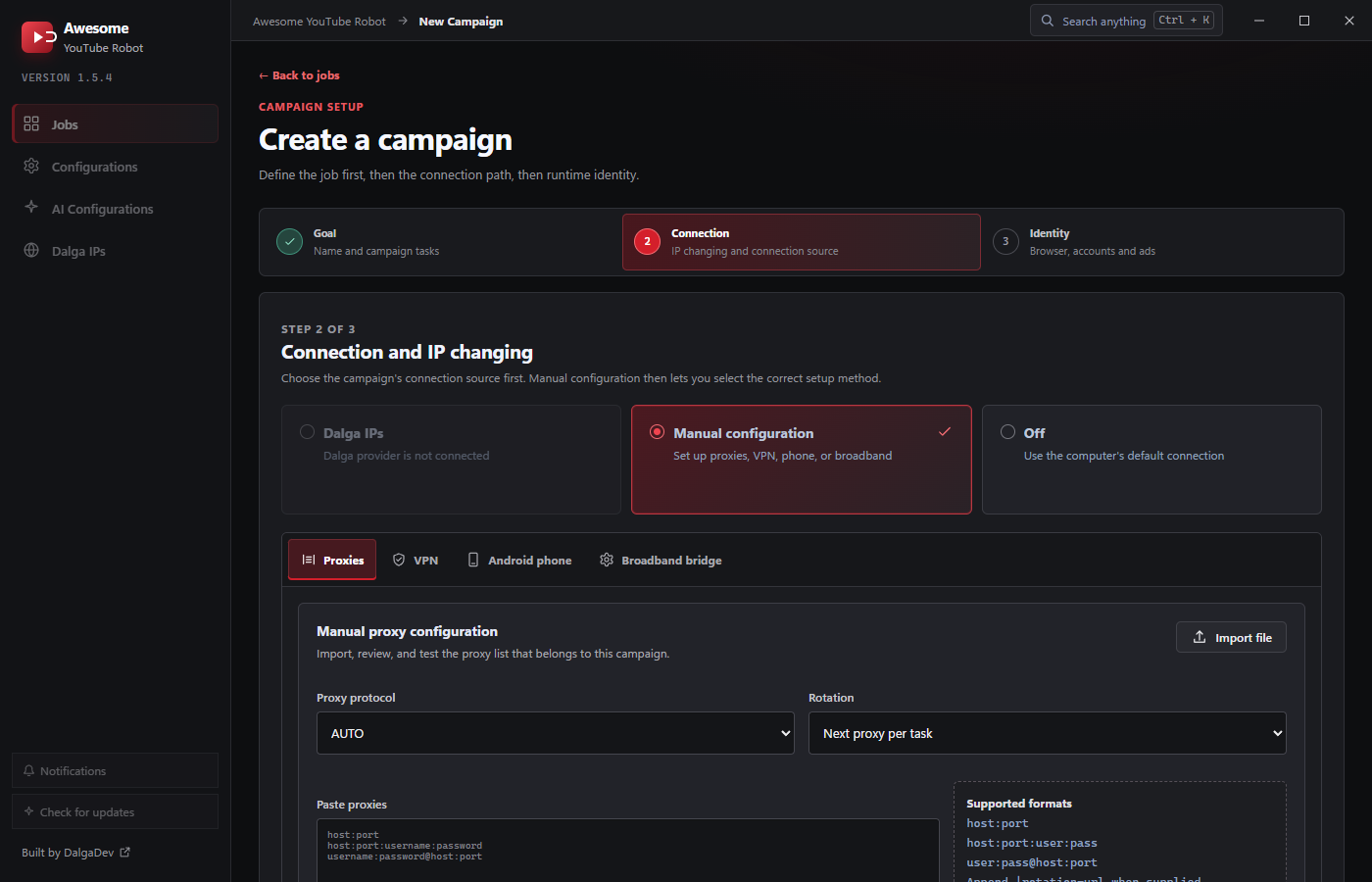
Proxies
Import, review, and test the proxy list that belongs to this campaign:
- Import file: load a
.txt/.csvlist, or paste proxies directly (one per line). - Supported formats: any of:
host:porthost:port:user:pass(the password may contain extra colons)host:port@user:passuser:pass@host:port
- Rotating proxies: append
|rotation-urlto a line when your provider gives a rotation endpoint, e.g.host:port:user:pass|https://provider/rotate. - Proxy protocol: AUTO / HTTP / HTTPS / SOCKS4 / SOCKS5 (default AUTO, which detects it). Set it explicitly if your provider requires a specific scheme. IPv6 proxies aren't supported.
- Rotation: Next proxy per task (default), Next proxy per account, or Use one proxy.
- Ping filter: Enabled (default) or Disabled; drops proxies slower than the threshold.
- Test timeout: 5 / 10 / 20 / 30 / 60 seconds (default 10). Run Test proxies to validate before saving; the results table shows the first 100 with Working / Failed / Not tested status and a Remove failed action. Clear empties the list.
- Use proxy for cookie checker: validate imported accounts through this campaign's proxies.
VPN
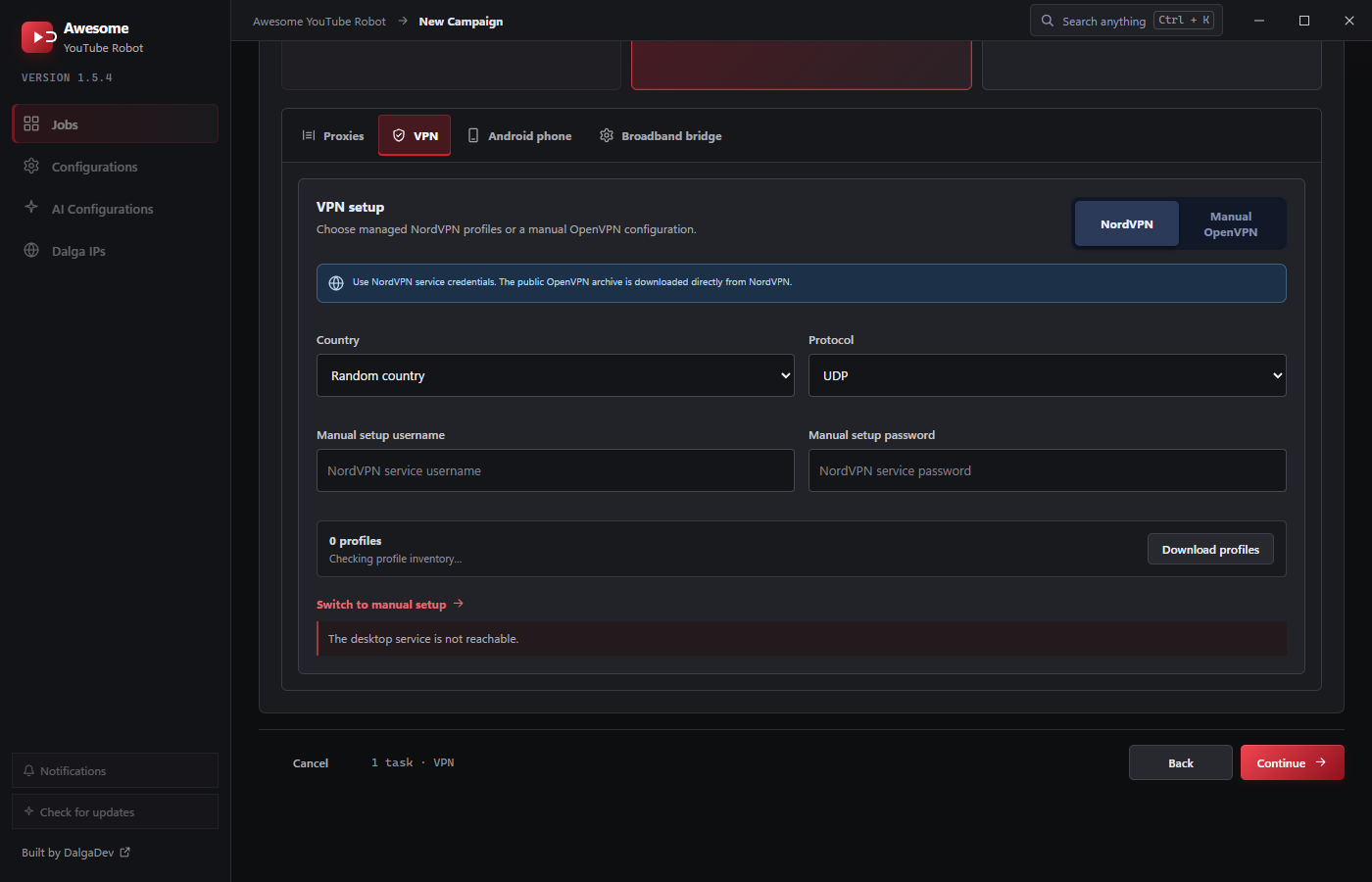
- NordVPN: enter NordVPN service credentials, pick a country (or Random country) and protocol (UDP default / TCP). AYB downloads the public OpenVPN archive from NordVPN and can Download profiles.
- Manual OpenVPN: use your own OpenVPN configuration files. Set:
- OpenVPN config files directory: the folder of
.ovpnprofiles (with a Browse picker). - Only use files containing: an optional filename filter to pick a subset of profiles.
- Username / Password: your VPN credentials.
- Block campaign until VPN connects: hold the campaign until a connection is established.
- Skip bad configuration files: if a profile fails, move on to the next one.
- Validate OpenVPN profiles: test the folder before running (OpenVPN must be installed).
- OpenVPN config files directory: the folder of
Android phone
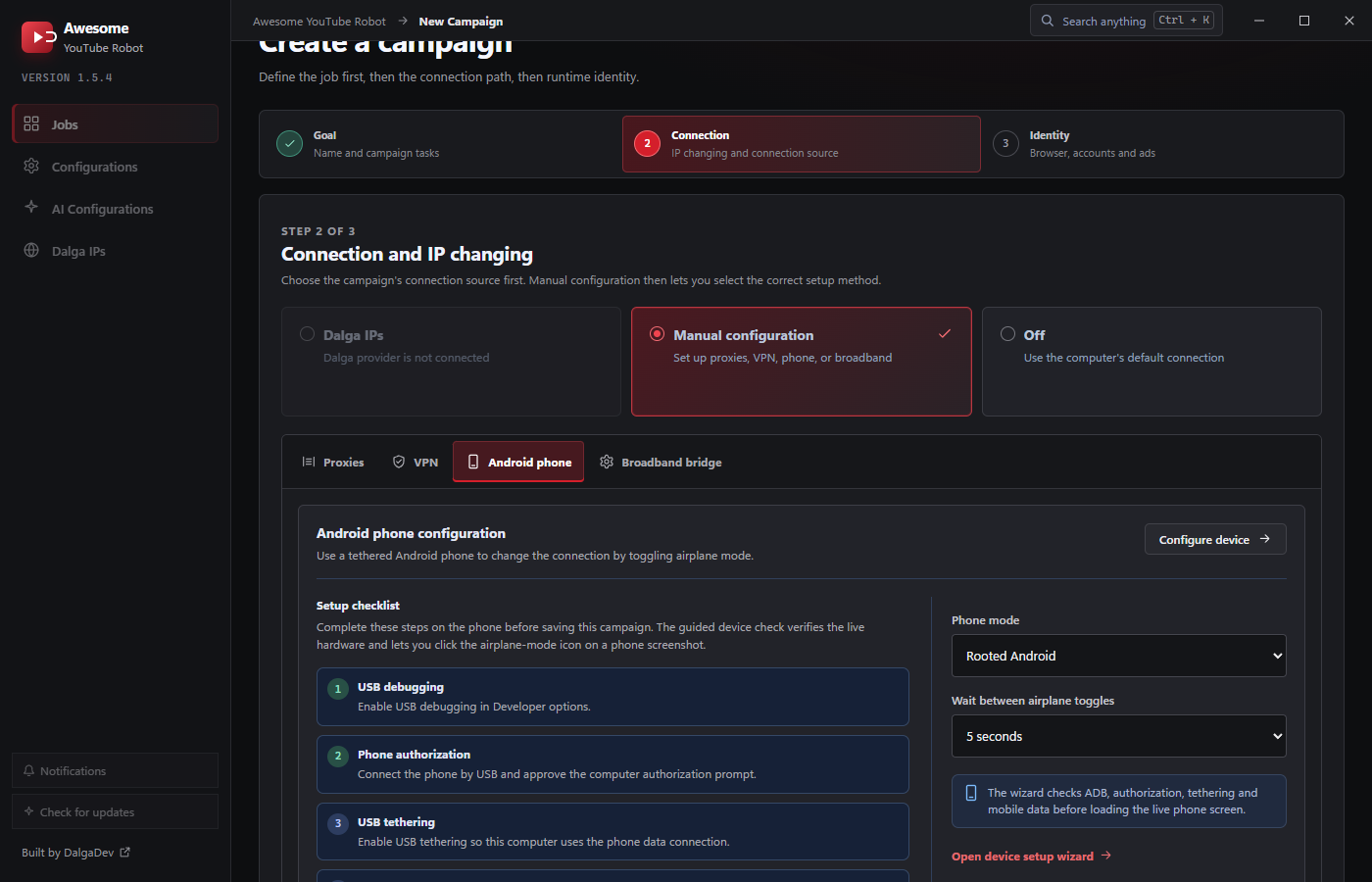
Use a tethered Android phone to change the IP by toggling airplane mode. A setup checklist walks you through USB debugging, phone authorization, and USB tethering, and a guided device setup wizard verifies ADB, authorization, tethering, and mobile data before loading a live phone screen.
- Phone mode: how AYB toggles the connection on your device: Rooted Android, Android 7 or lower (default), S8 Active, Touch Oppo, Touch Note 9, or Custom device.
- Wait between airplane toggles: 5 (default) / 10 / 15 / 30 seconds between turning airplane mode off and on to force a new IP.
Broadband bridge
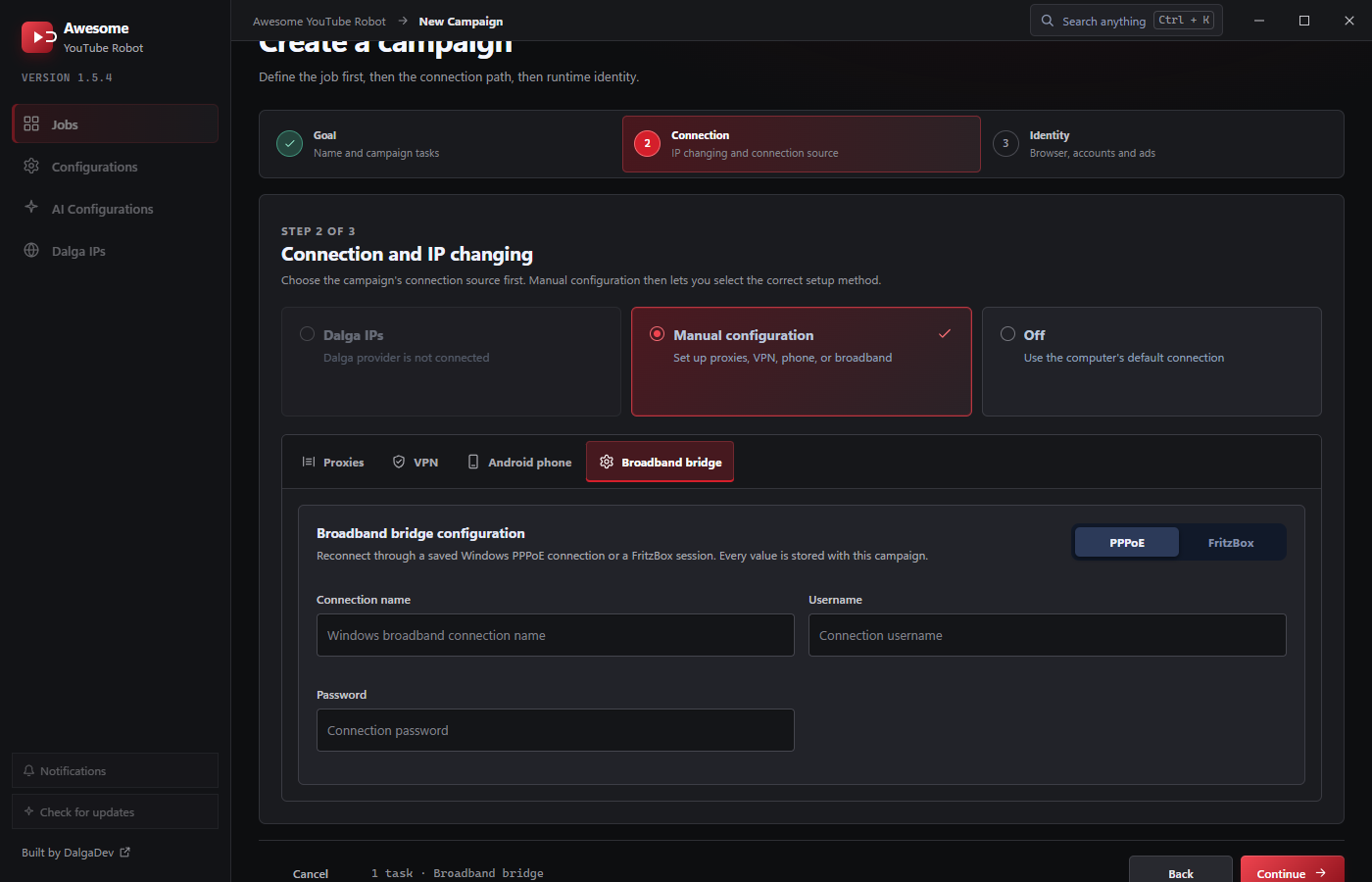
Reconnect through a saved Windows PPPoE connection or a FritzBox session. Enter the connection name, username, and password. Every value is stored with the campaign.
Manual VPN, phone, and broadband methods change the IP of the whole machine, so all threads share one IP at a time (it rotates between sessions). Proxies and Dalga IPs give each thread its own IP simultaneously. See IP Changing Methods.