Step 1: Goal & Tasks
Step 1 names the campaign and defines the tasks it runs. Tasks execute consecutively, and every field is saved with the campaign.
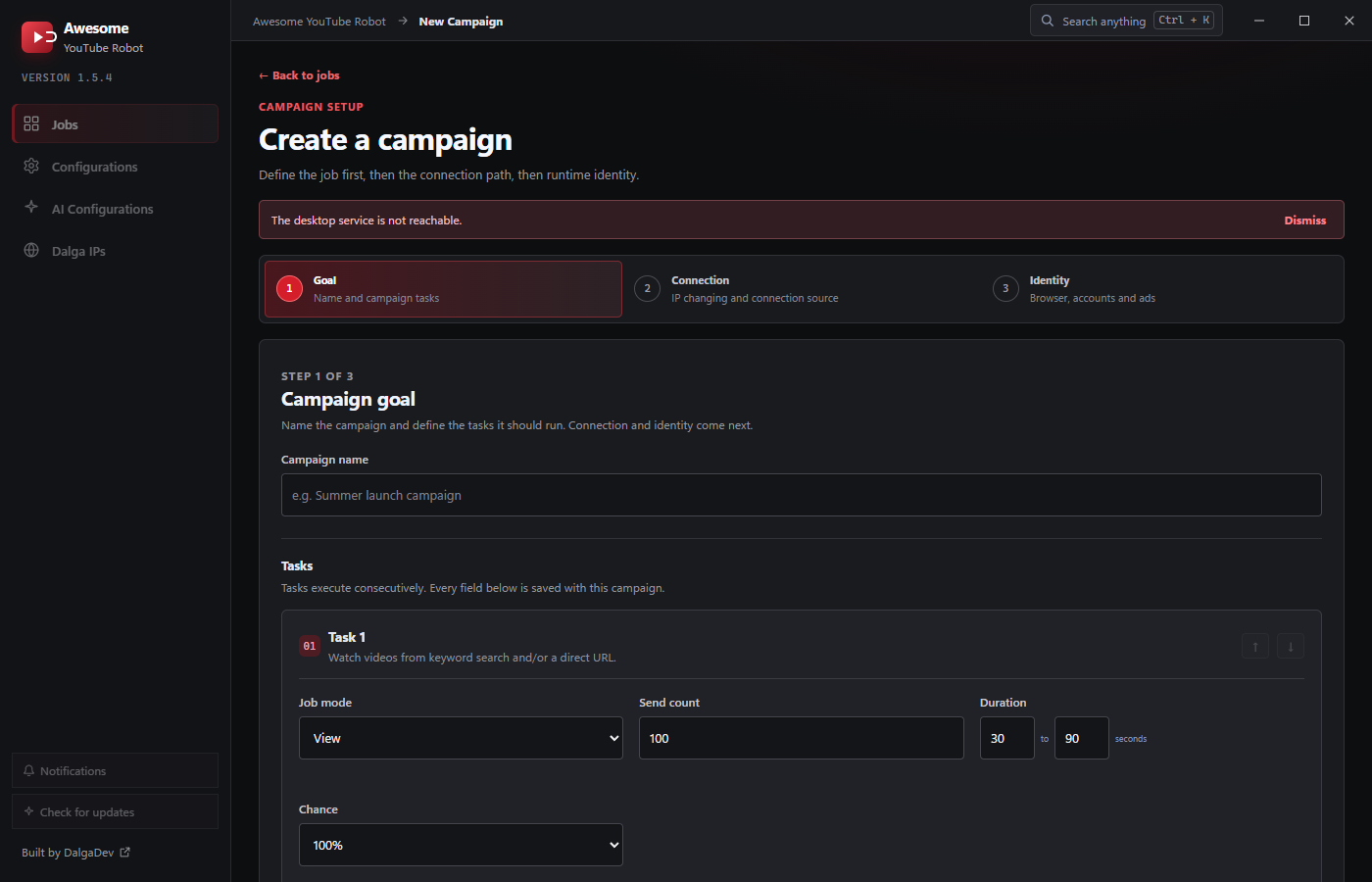
Campaign name
A label to tell the campaign apart on the Jobs page.
Tasks
Each task card has a Job mode and its own settings. Add more with Add task, reorder with the ↑ ↓ arrows, and delete tasks you don't need. See Job Modes for what each mode does.
Core controls (all modes)
- Job mode: View, Like, Comment, Like comments, Subscribe, or Random act.
- Send count: how many times this task runs (minimum 1; default 100).
- Duration: a From-To range in seconds for how long the action takes; a random value in the range is used each run (default 30-90s).
- Chance: the percentage of visitors that actually perform it. Options are 100% / 75% / 50% / 25% (default 100%), so engagement looks natural.
View target
For View tasks, the target section decides which video is watched and how it's found:
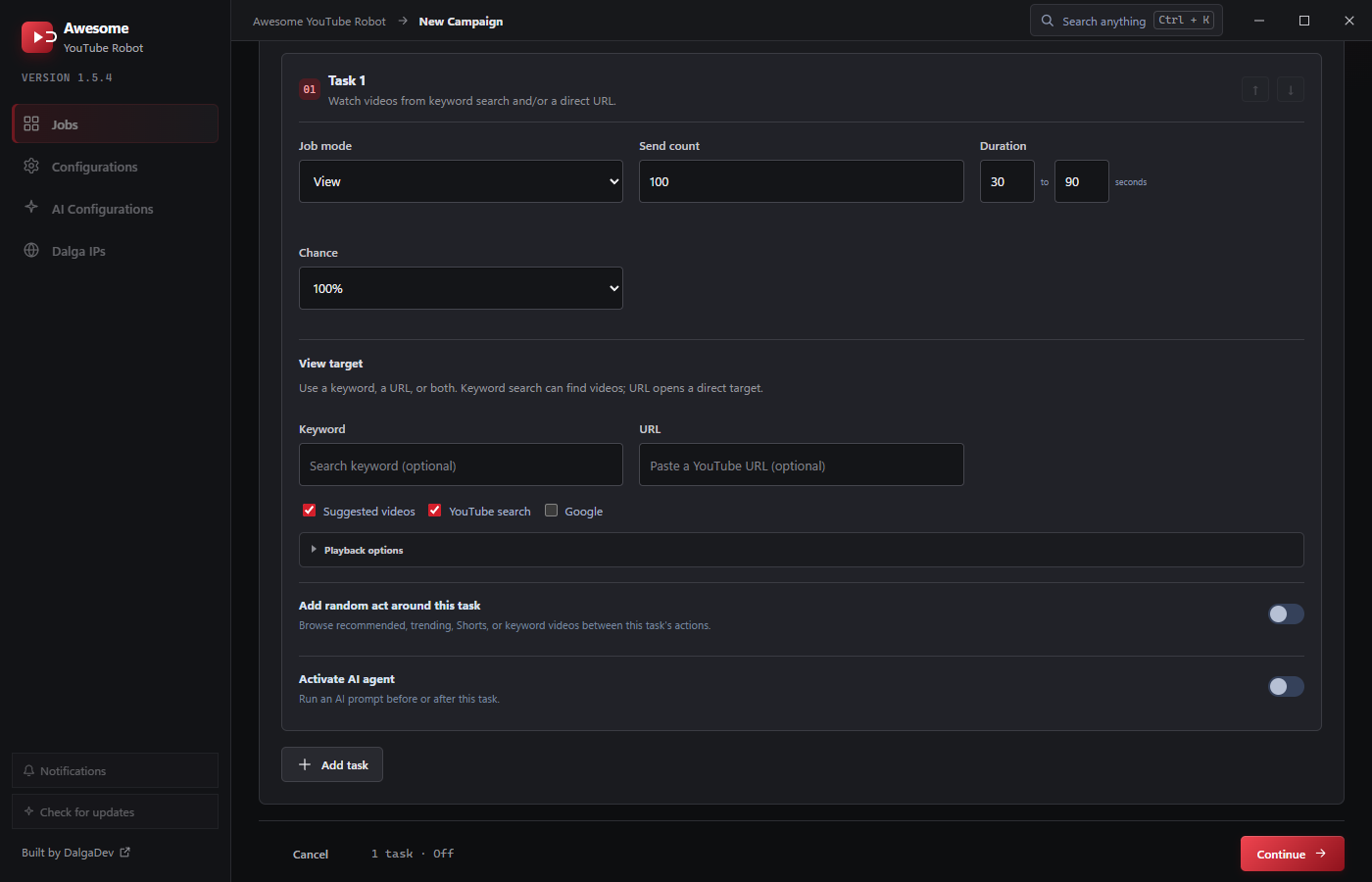
- Keyword: a search term; AYB finds a matching video. Optional.
- URL: a direct YouTube URL. Optional.
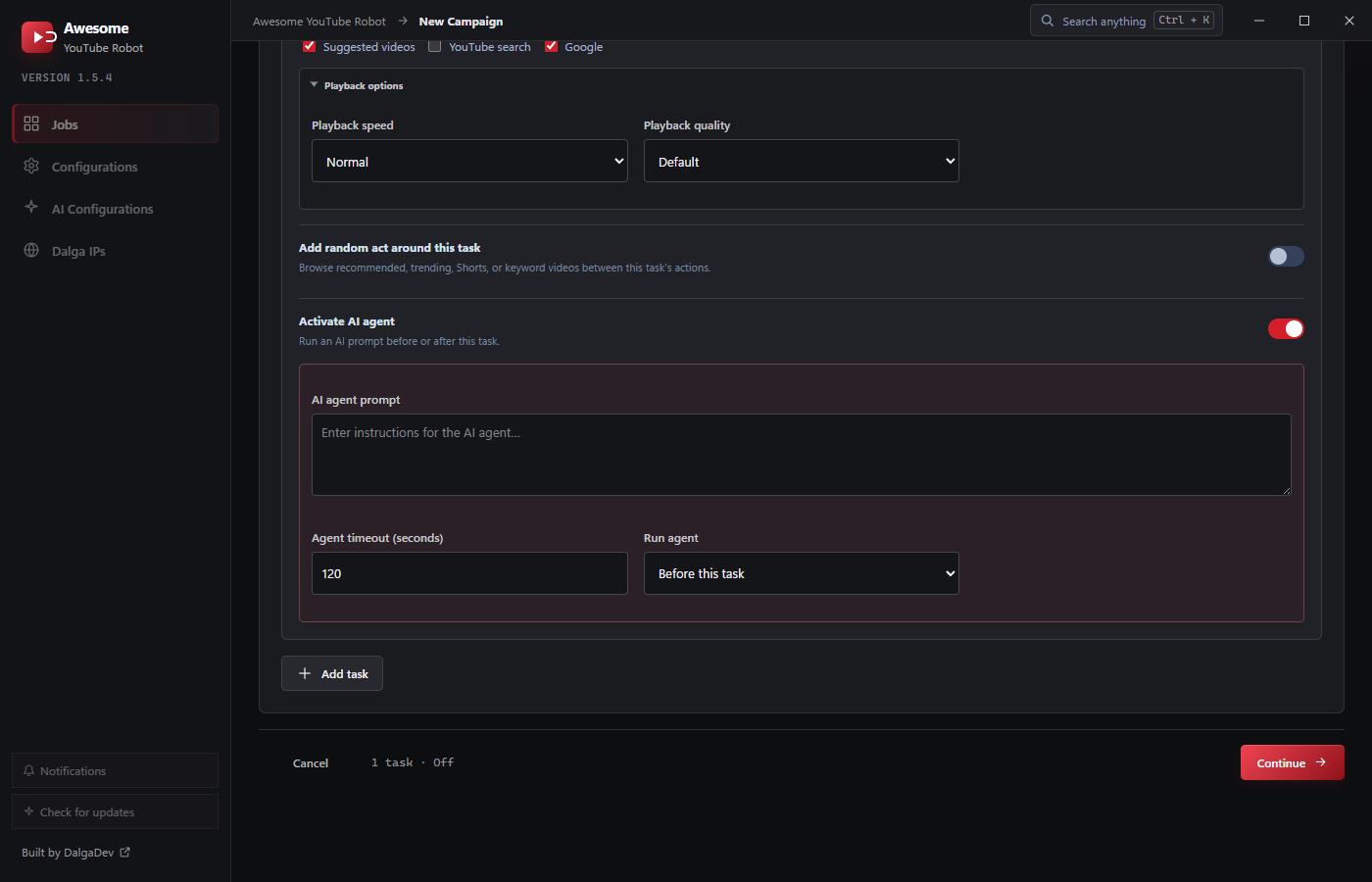
- Sources: where the visitor arrives from: Suggested videos, YouTube search, and/or Google. Enable any combination; by default Suggested videos and YouTube search are on and Google is off. When several are enabled, AYB picks one at random per visitor.
Use a keyword, a URL, or both. A keyword search finds videos (more organic); a URL opens a direct target.
Sending views through YouTube search for your target keyword is what nudges search-driven watch time. The viewer searches, finds your video in the results, and watches it, rather than opening it directly.
Playback options
For View tasks, expand Playback options to set:
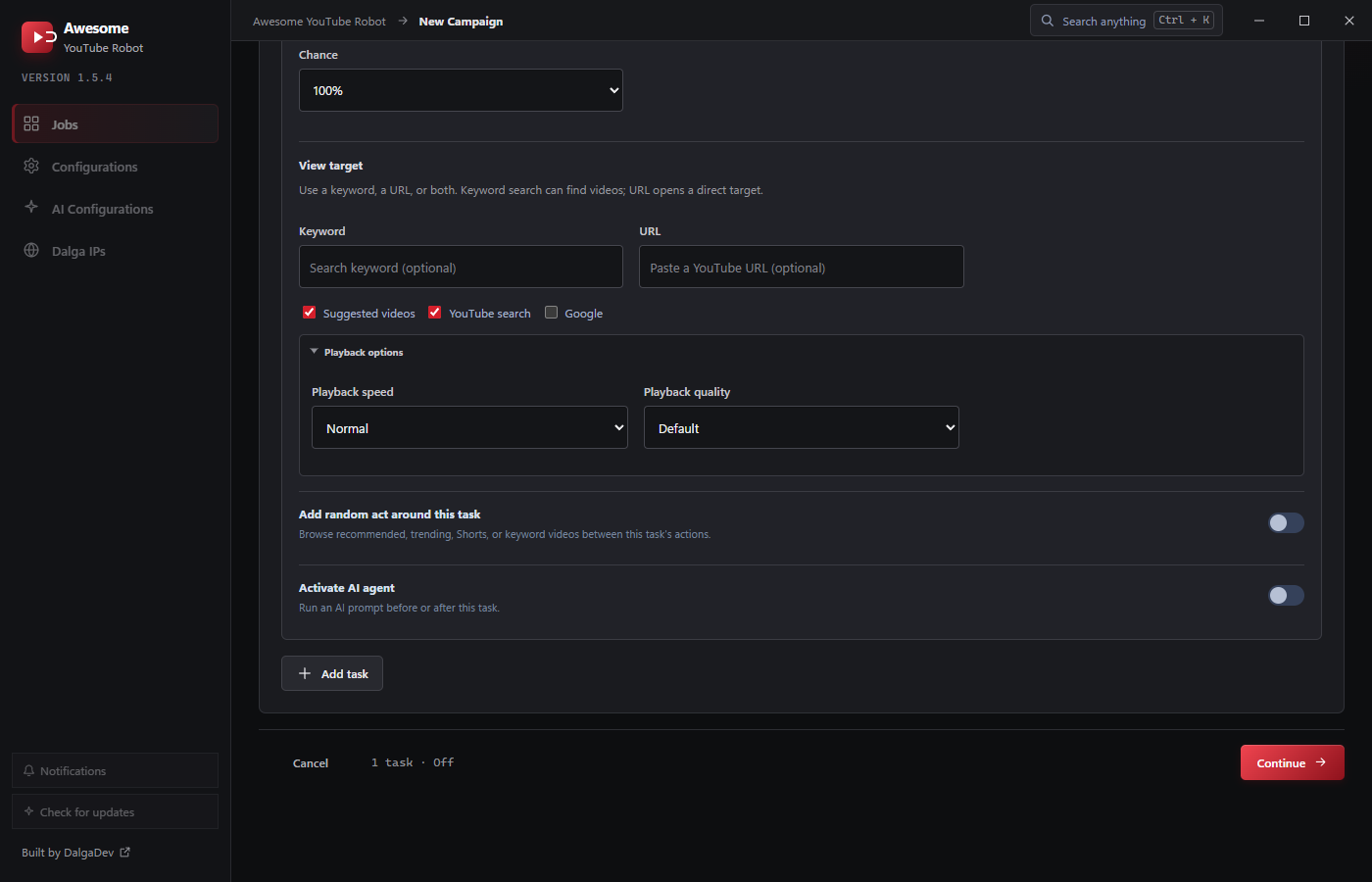
- Playback speed:
Default·0.25x·0.5x·0.75x·Normal(1x) ·1.25x·1.5x·1.75x·2x·Random. Default is Normal. Random rolls a speed each visitor. (Default and Normal both leave YouTube's normal 1x speed.) - Playback quality:
Default·1080p·720p·480p·360p·240p·144p·Random. Default is Default (YouTube's auto quality). Lower quality saves bandwidth, which is useful with metered Dalga IPs.
Engagement targets
For Like and Subscribe, the target is a YouTube URL. Both Comment and Like comments also show a Comment list picker (or Random list) with a Manage button to edit lists. See Comment lists. All engagement modes require signed-in accounts, configured on Step 3.
Add random act around this task
Toggle this to have the visitor browse recommended, trending, Shorts, or keyword videos between the task's actions. A strong way to make sessions look human. It exposes the full Random act options (Interact with, When signed in, keyword browsing with spintax, and duration).
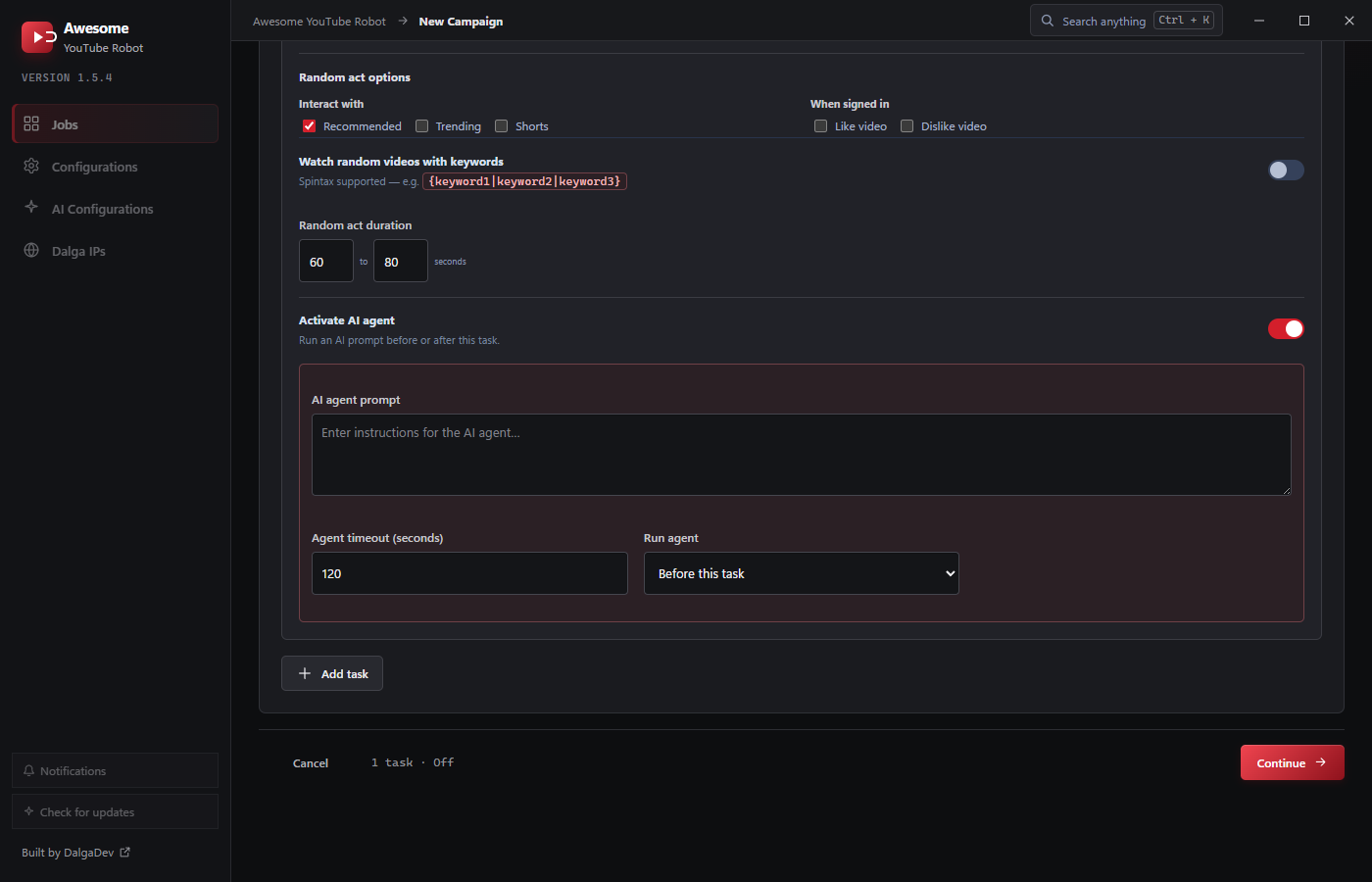
Activate AI agent
Toggle this to run an AI agent prompt before or after the task. You provide the prompt (required), an agent timeout in seconds (default 120), and choose Run agent: Before / After this task (default Before). Enabling the agent needs a provider API key set on AI Configurations.
The AI provider and model are set once on the AI Configurations page.