Threads & AutoPilot
ATB needs processors in the background to run your campaigns. These are called threads (or instances). Threads run campaigns, stop them, and check whether the conditions to proceed are met (schedule window, delays, etc.).
Each thread controls exactly one browser. With 5 threads the bot can drive 5 browsers — and therefore serve up to 5 visitors — simultaneously. Your hardware sets the practical ceiling; the app shows a Max Threads Capacity estimate on the Settings page.
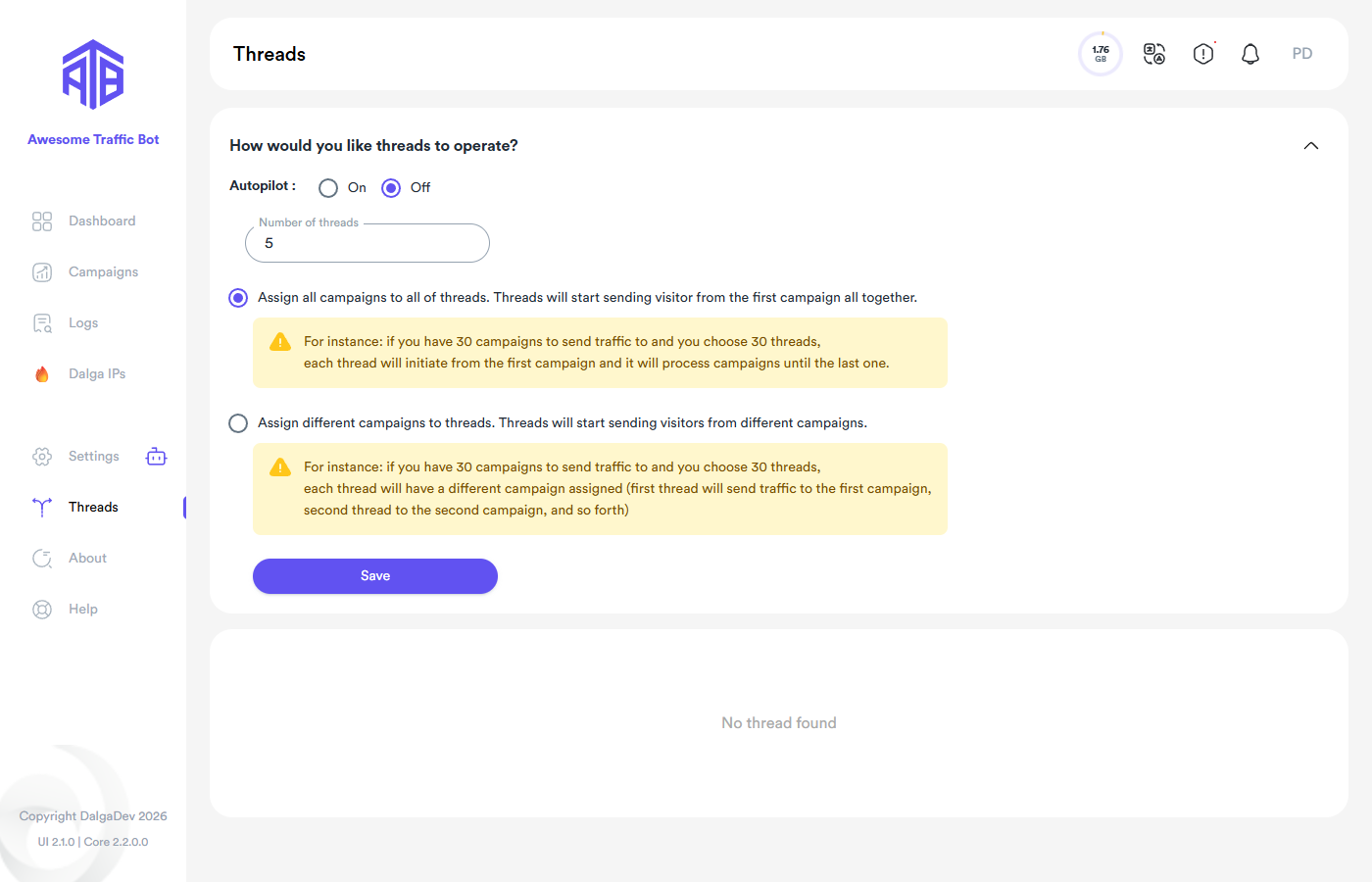
Default (global) threads
The Threads page in the sidebar holds the global thread configuration:
- Number of threads — how many browsers the bot may run at once.
- Threading mode:
- Assign all campaigns to all threads — every thread starts from the first campaign and works through the list together.
- Assign different campaigns to threads — campaigns are distributed: thread 1 takes campaign 1, thread 2 takes campaign 2, and so on.
While threads are running you'll see them listed here and can stop them individually.
Custom threads per campaign
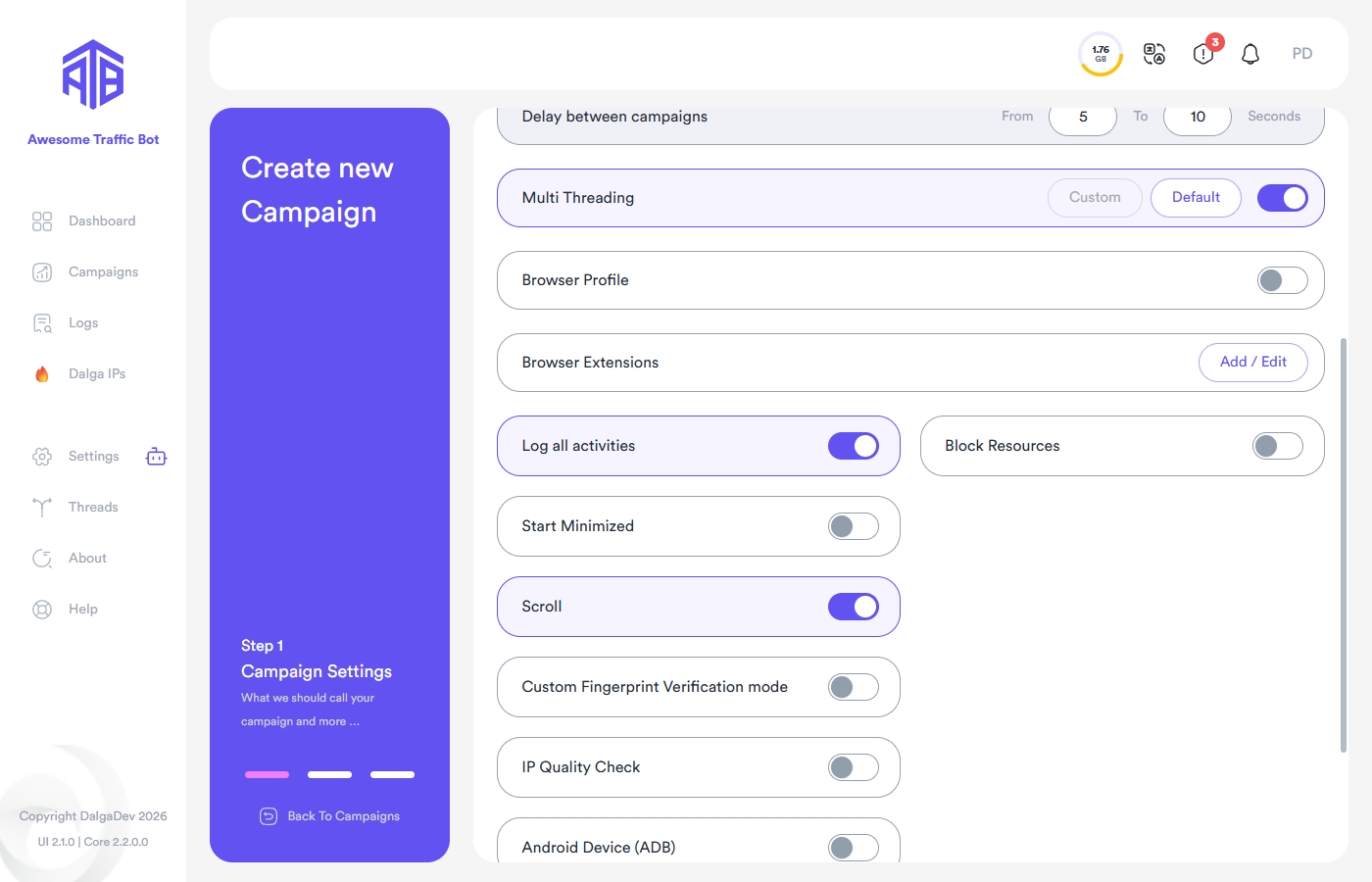
Sometimes you want one campaign to finish faster without touching everything else. In Campaign Settings enable Multi Threading and choose Custom with a dedicated thread count. Those threads are started in addition to the global ones, work only on that campaign, and end when the campaign stops.
AutoPilot
Turn AutoPilot: On on the Threads page and the bot manages the thread count for you — scaling with your hardware capacity and workload instead of a fixed number. While AutoPilot is on, the manual Multi Threading option inside campaigns is disabled (the campaign settings page will tell you so).
When AutoPilot is on you also choose how it paces the work:
- Fast Track — the bot fulfills the campaigns as quickly as possible.
- Distributed — the bot spreads visitors evenly over the campaign's scheduled time period (pairs naturally with scheduling when you want a steady, natural-looking drip rather than a burst).
You can only change the AutoPilot mode while the system is stopped — the option is inactive if threads are currently running.
Use AutoPilot when you'd rather not tune thread counts by hand; use manual threads when you need precise control or per-campaign dedication.