Campaign Settings
Step 1 of the wizard defines the campaign's identity and behavior.
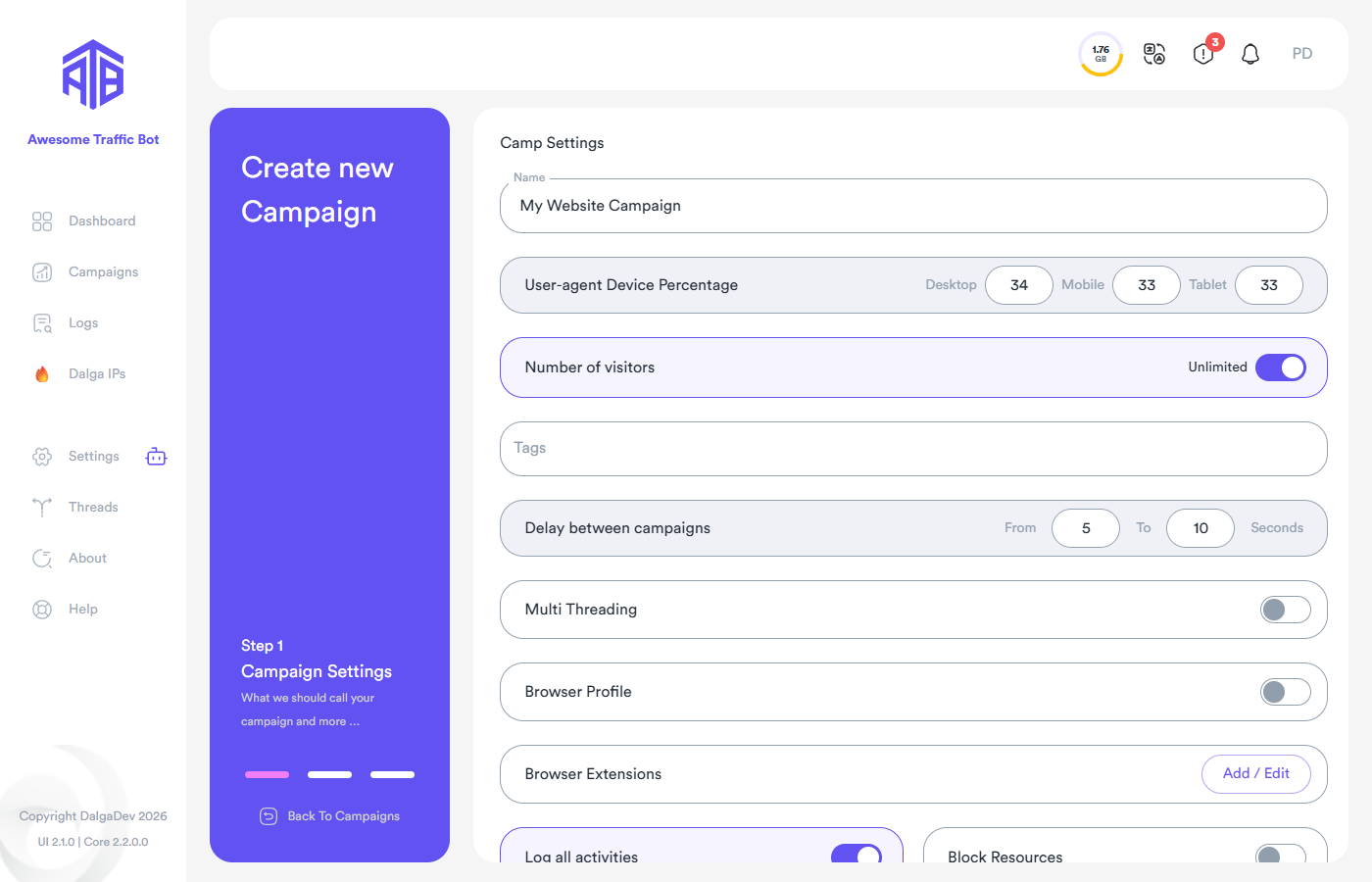
Name and Tags
Each campaign has a name to tell it apart, and optional tags for labeling and filtering campaigns by category.
User-agent Device Percentage
The share of Desktop / Mobile / Tablet visitors. ATB's server continuously publishes fresh user-agents to the app, so you never miss new browser versions without updating.
Number of visitors
The total number of visitors the campaign should deliver. One visitor is counted after a session completes all tasks. Choose Unlimited to keep sending traffic indefinitely (throughput then depends on your configuration and thread count).
Delay between campaigns
A wait (random within From–To seconds) each thread takes after completing a visitor before proceeding with the next one.
Multi Threading
Off = the campaign uses the default/global thread settings. On = choose the threading mode or dedicate a custom number of threads exclusively to this campaign. Disabled while AutoPilot is on.
Browser Profile
Save and reuse browser profiles (cookies, history, logins) across campaigns — including per-group and per-campaign storage folders under Advanced Settings. Full guide: Browsers & Profiles.
Browser Extensions
Load Chrome extensions into the campaign's browsers via Add / Edit. See Browser Extensions.
Log all activities
Record every action with IP and timestamps into the campaign logs.
For tens of thousands of visitors this increases disk usage and bandwidth (an HTTP request fetches the IP on every status change). Recommended for up to ~1,000 visitors/day.
Start Minimized
Launch the campaign's browser windows minimized so they don't take over your desktop while running.
Scroll
Whether the bot scrolls inside webpages.
Block Resources
Block selected resource types (images, videos, fonts, CSS…) from loading to save bandwidth — especially valuable with Dalga IPs where bandwidth is metered (up to ~80% savings).
Blocking too much may trigger bot-detection; blocking only images and videos is safest. Blocking images can also make some analytics tools miscount visitors.
Schedule
Restrict traffic to time windows, weekdays, or dates, with per-window visitor counts. See Scheduling.