Scheduling
Turn on Schedule at the bottom of Campaign Settings and click + to add one or more schedule windows.
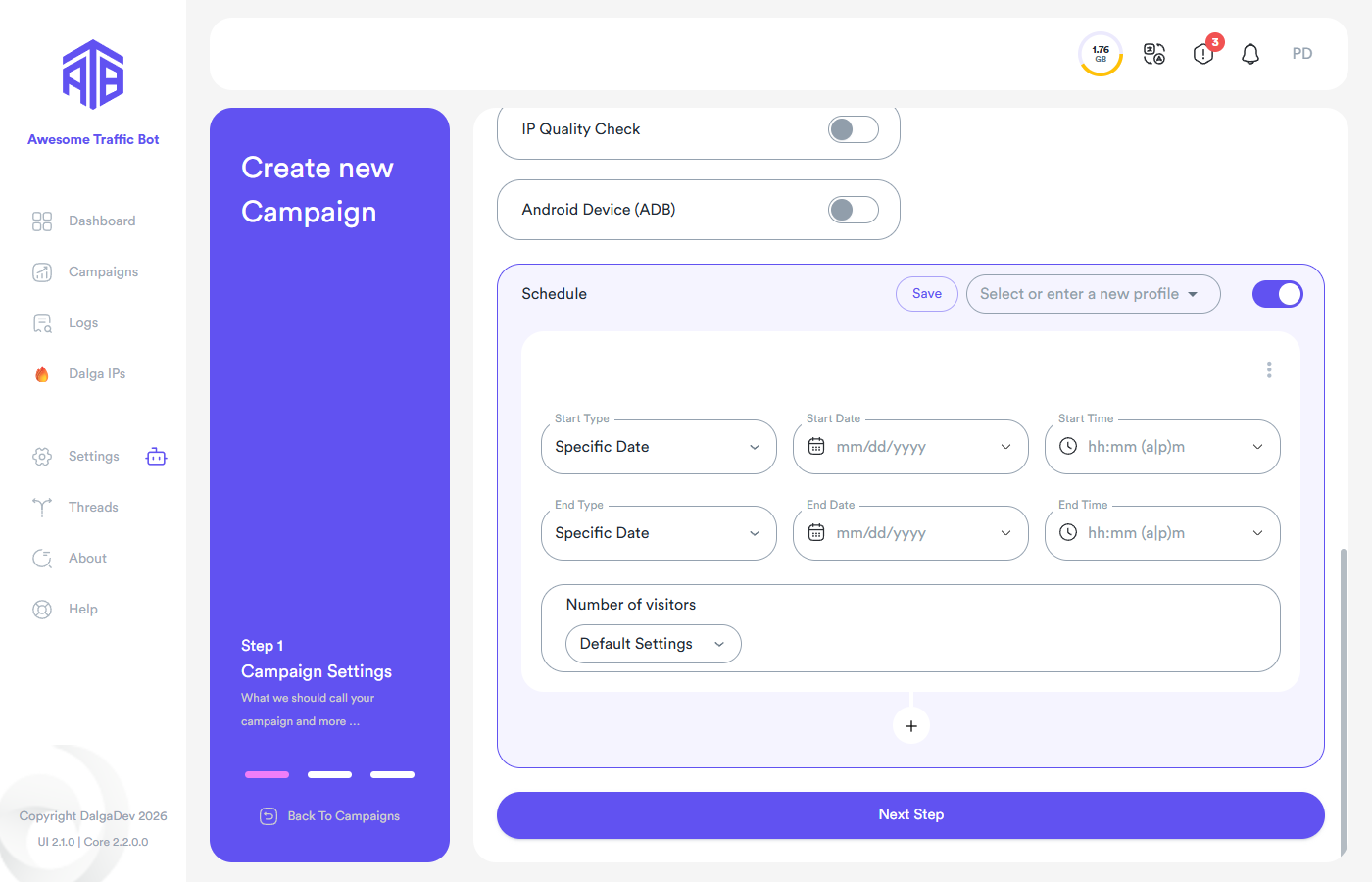
Each window defines:
- Start Type / End Type — Every day, Weekdays, or Specific Date.
- Start/End Date & Time — the window boundaries. E.g. start Saturdays at 10:00 AM, end at 6:00 PM; or a one-off date range.
- Number of visitors — how many visitors to send within this window (or unlimited).
You can save a schedule configuration as a named profile and reuse it across campaigns (select it from the Select or enter a new profile dropdown, or Save the current one under a new name).
A schedule only restricts when a running campaign may send traffic. You still need to start the campaign; if it's paused or was never started, the schedule won't start it for you.
The campaign's overall Number of visitors caps everything. If the campaign is set to 10 visitors total and the schedule allows 10/day, the campaign finishes after one day. For continuous scheduled traffic, set the campaign's total to Unlimited and control volume from the schedule.