AI Agent
AYB can hand part of a task to an AI agent: an LLM that looks at the page and performs your instruction. Useful for interactions that are hard to script. It runs before or after a task, alongside the task's normal actions.
1. Configure a provider
On the AI Configurations page, connect a provider and model:
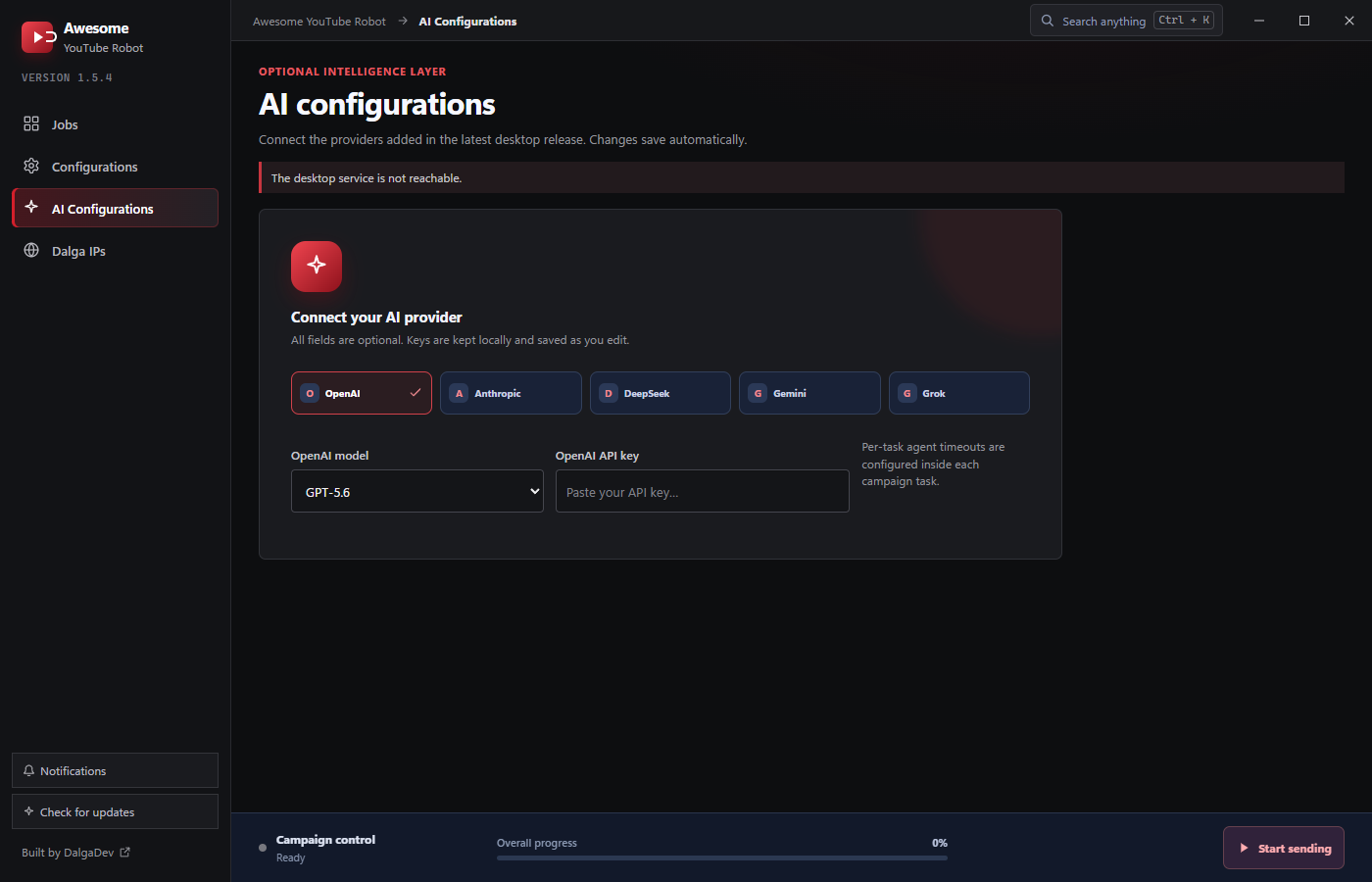
- Providers: OpenAI, Anthropic, DeepSeek, Gemini, Grok.
- Model: pick from the provider's list (see the full model table); default is OpenAI GPT-5.6.
- API key: kept locally, saved as you edit. All fields are optional until you use AI.
2. Enable it on a task
On any task, toggle Activate AI agent and set:
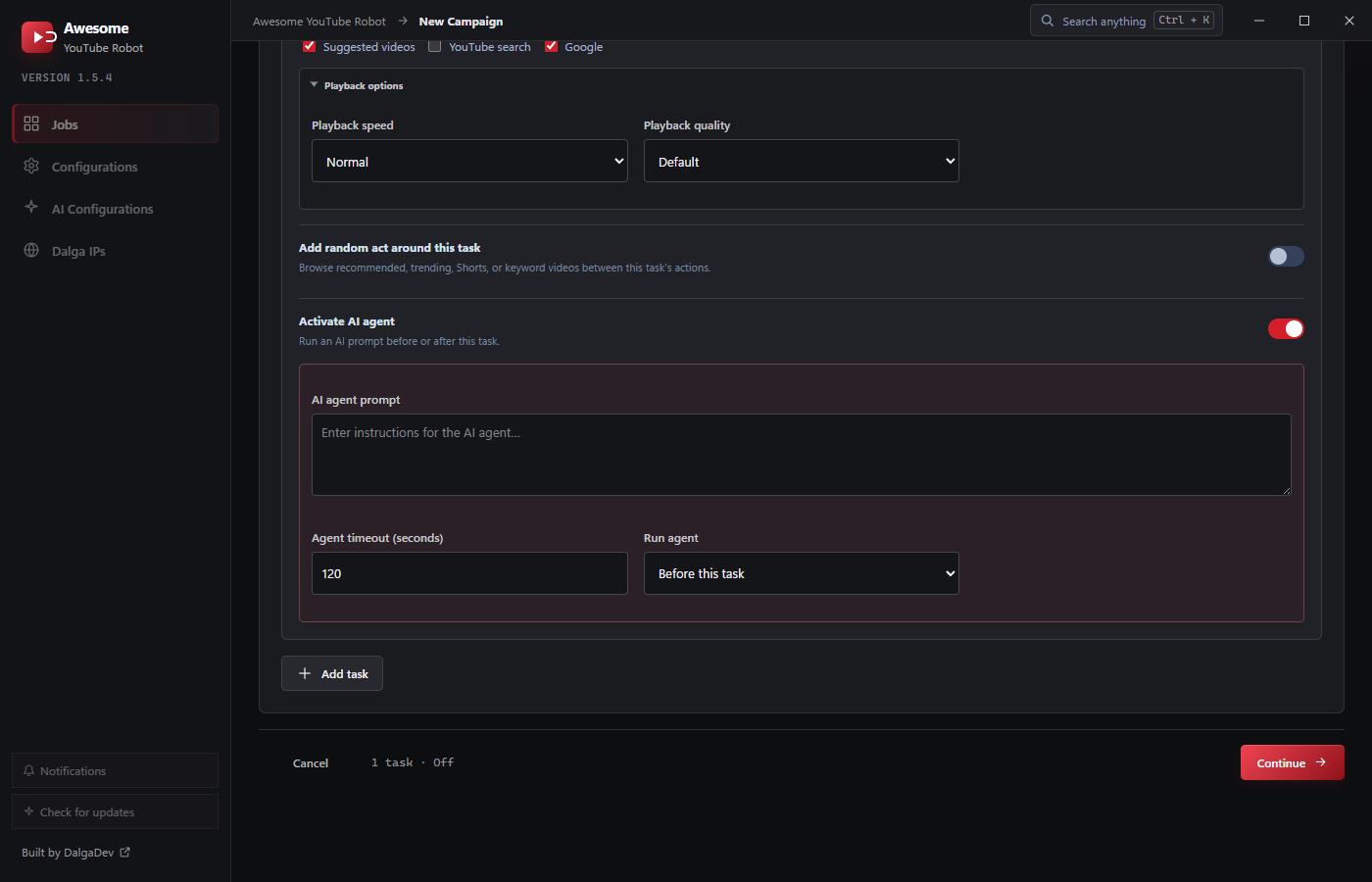
- AI agent prompt: natural-language instructions for the agent.
- Agent timeout (seconds): how long the agent may run before moving on.
- Run agent: Before this task or After this task.
Timeouts are configured per task, so different tasks can give the agent more or less time.
Tips
- Keep prompts specific and bounded. The timeout is a hard stop.
- The agent runs as part of the task, so its work shows up in the campaign's live progress on the Jobs page.
- Costs scale with your provider account and the number of visitors; smaller models are cheaper.