Views & Watch Time
The View job mode is the core of AYB: it opens a video and watches it for a configured time, building views and watch time, the signals YouTube cares about most.
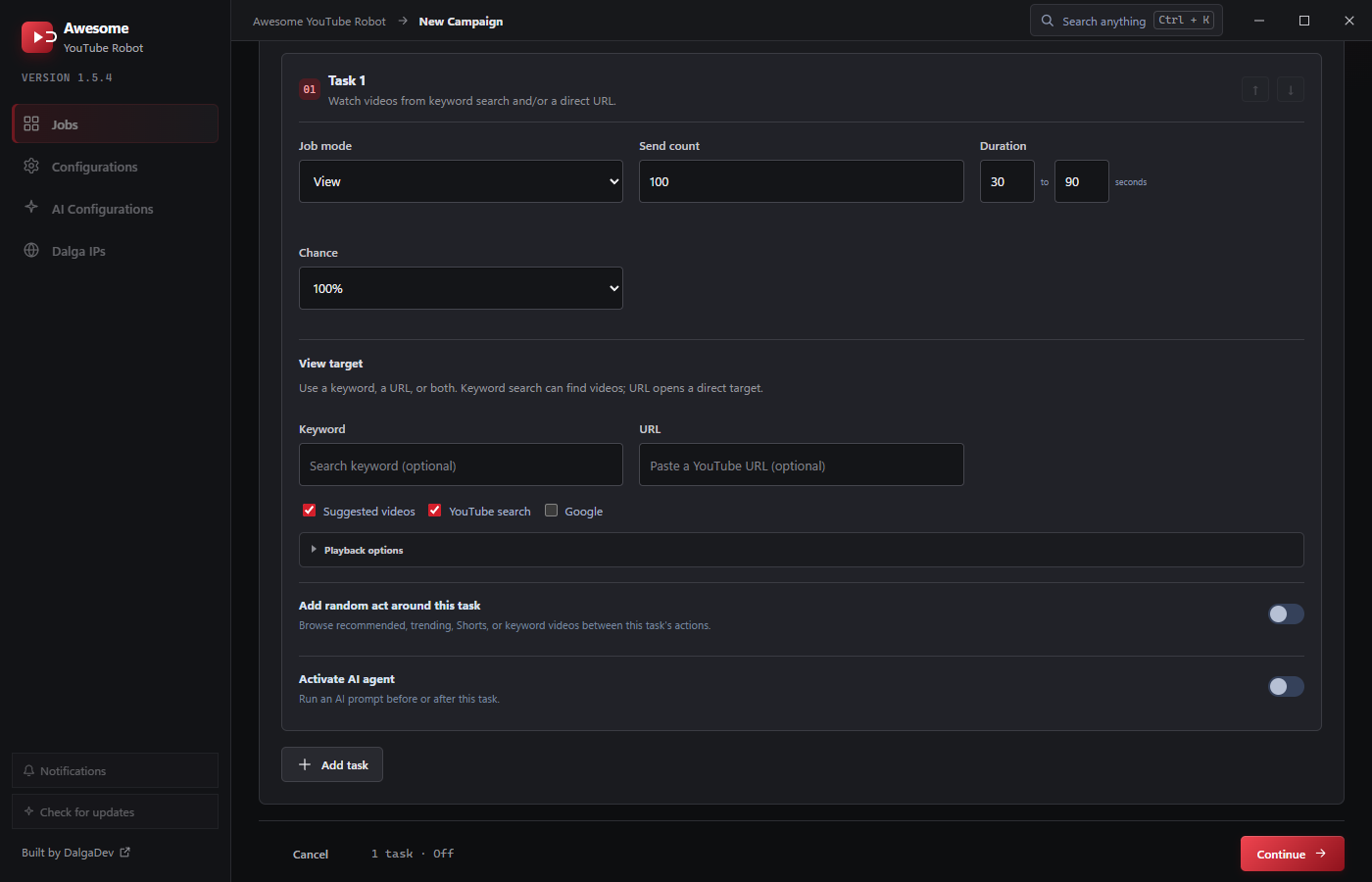
Duration = watch time
The task's Duration (From-To seconds) is how long each visitor watches. Longer, varied durations read as genuine engagement; a tight identical duration on every view does not. Set a realistic range for the video's length.
How the video is found
The View target decides how the viewer arrives. This matters a lot for how organic the view looks:
- YouTube search: the viewer searches your Keyword and clicks your video in the results. The most SEO-relevant path; it ties watch time to a search query.
- Suggested videos: the viewer arrives via YouTube's recommendations.
- Google: the viewer arrives from a Google search.
- Direct URL: the viewer opens the video link directly (least organic; fine for topping up watch time).
Enable any combination of sources; provide a keyword, a URL, or both. See View target.
Playback speed & quality
Expand Playback options to set:
- Playback speed:
Default·0.25x·0.5x·0.75x·Normal(1x, the default) ·1.25x·1.5x·1.75x·2x·Random. - Playback quality:
Default(auto, the default) ·1080p·720p·480p·360p·240p·144p·Random.
Choosing Random for either spreads your views across a natural distribution instead of one identical value on every view.
Make it human
- Add Random act around the task so the viewer browses recommended/trending/Shorts before or after watching.
- Vary Chance across tasks so not every visitor does the same thing.
- Use saved browser profiles so some viewers are returning, warmed-up identities.