AI Traffic
AI Traffic hands the browser to a large language model: you describe what a visitor should do, and the AI looks at the page and performs it — searching, reading, clicking, filling forms — with human-like judgment. AI can either power a whole AI Traffic task, or be switched on inside classic search/direct tasks (AI Mode), including AI-driven scrolling and Google Maps interactions.
1. Configure a provider
Go to Settings → AI and set up your model:
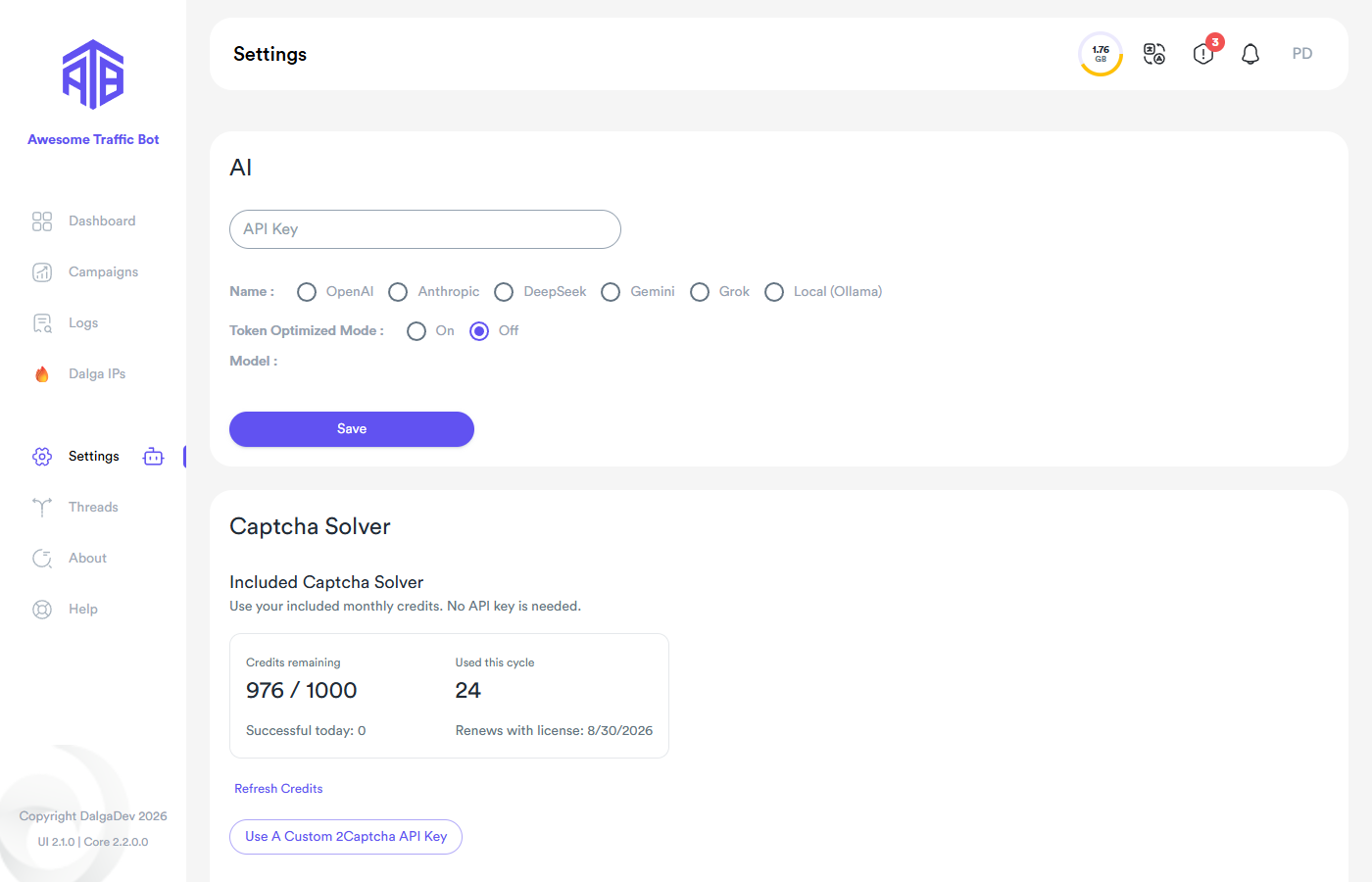
- Providers: OpenAI, Anthropic, DeepSeek, Gemini, Grok, or Local (Ollama).
- API Key — your key for the chosen provider (not needed for Local).
- Model — pick from the provider's current model list.
- Token Optimized Mode — reduces token usage (cheaper, slightly less thorough).
With the Local provider, ATB talks to an Ollama server on your machine — no API costs and no data leaves your computer. Larger local models (e.g. 14B+) give noticeably better results.
Depending on your license, a managed AI option may also be available so you can use AI features without bringing your own API key.
2. Create an AI task
In the campaign's Tasks step choose the AI Traffic tab and enable AI Mode (the tab reminds you if no API key is configured yet).
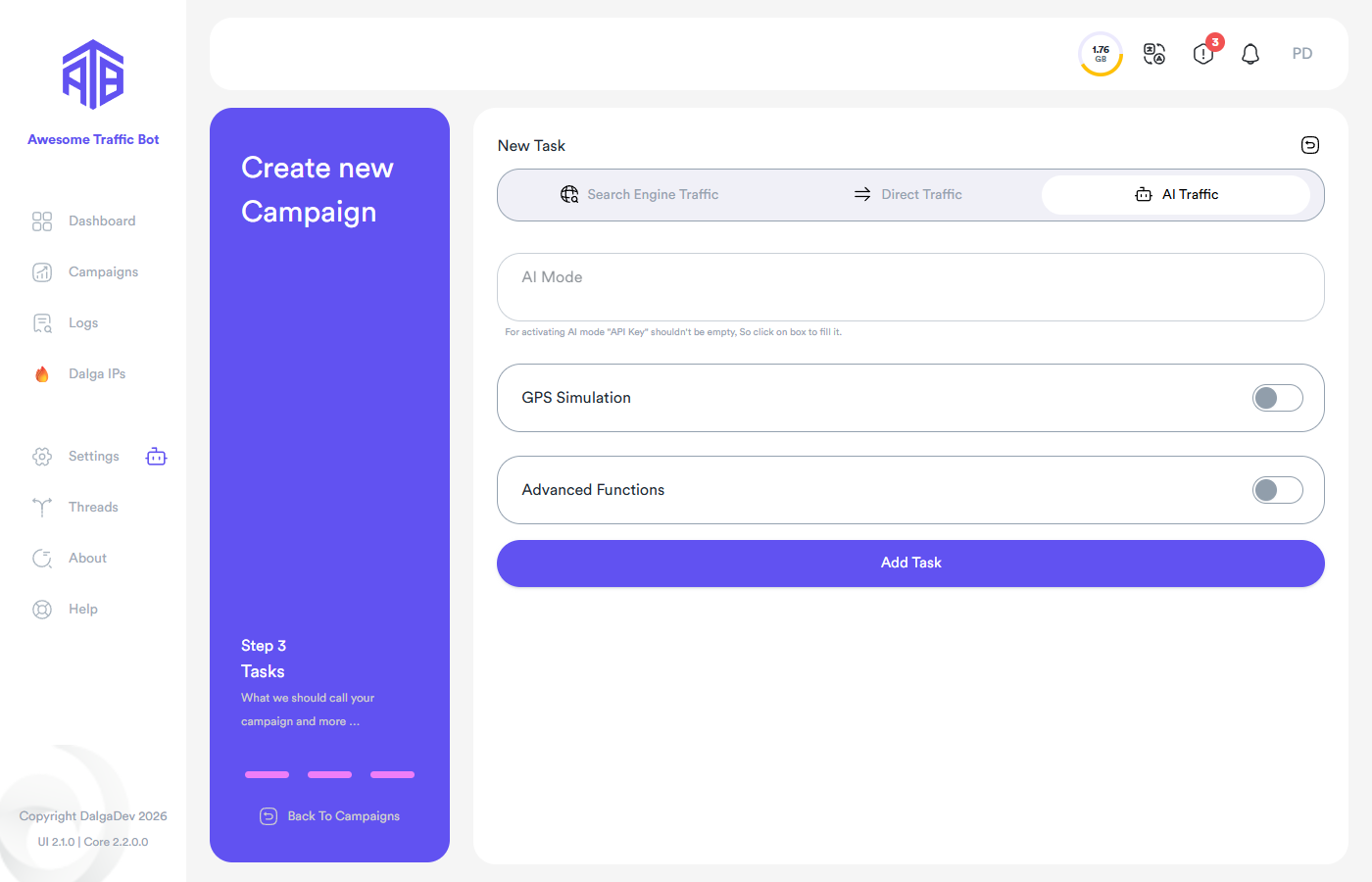
Write your instruction as the prompt — it acts as the "keyword" of the task. Examples:
- "Search for 'best running shoes 2026' on Google, open example.com from the results, and read the buyer's guide for two minutes."
- "Open the pricing page, compare the plans, and scroll through the FAQ."
The AI plans the actions, executes them in the browser, and the session is logged like any other visitor (AI steps get their own log entries).
AI inside classic tasks
In search engine and direct tasks, the AI Mode section lets AI take over parts of the journey — e.g. natural scrolling and reading behavior, or interacting with a Google Maps listing — while your classic settings (keywords, CTR, session duration) still control the frame.
Costs & tips
- AI Traffic uses your provider account; costs scale with the number of visitors. Token Optimized Mode and smaller models cut costs; Local (Ollama) removes them entirely.
- Watch the AI logs in the Logs page to see the model's decisions.
- Combine with browser profiles for the most realistic returning-visitor behavior.