Job Modes (Tasks)
Every task has a Job mode that decides what the visitor does on YouTube. All modes share the same core controls (Send count, Duration, and Chance), and most can be combined with Random act browsing and an AI agent. Full field-by-field setup is in Goal & tasks.
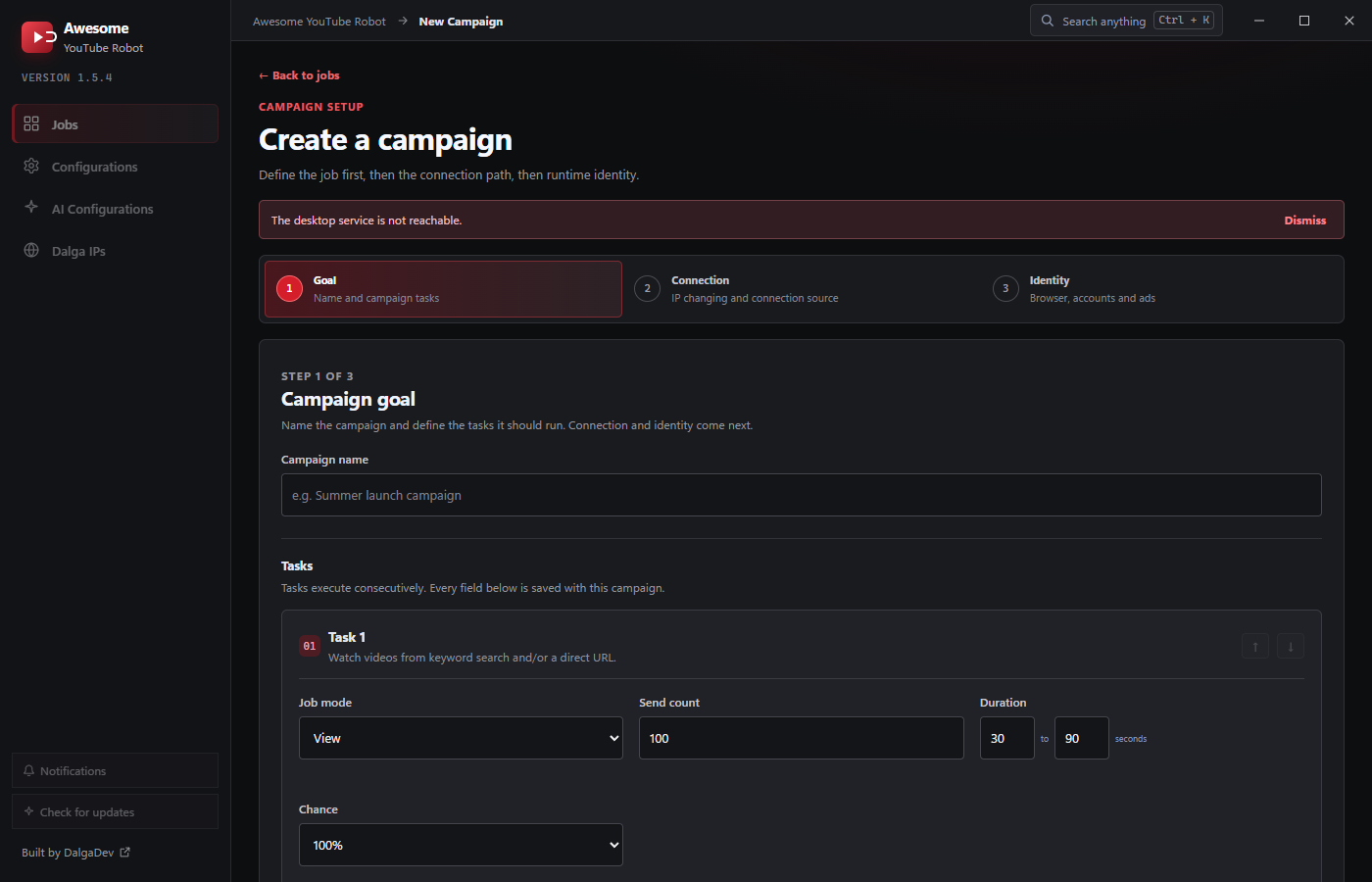
View
Watch a video for a configured Duration range. This is how you build views and watch time. View tasks add playback speed and playback quality options and use a View target: a keyword (found via Suggested / YouTube search / Google) and/or a direct URL.
→ See View & watch time.
Engagement modes
These require signed-in accounts (the visitor logs in, then acts):
- Like: like the target video.
- Comment: post a comment on the video, drawn from an assigned comment list.
- Like comments: like existing comments on the video.
- Subscribe: subscribe to the video's channel.
Engagement modes target a YouTube URL. Both Comment and Like comments also expose a Comment list picker (or Random list). Comment posts from it, and Like comments uses it to decide which comments to like.
Random act
A standalone browsing mode: the visitor browses Recommended, Trending, Shorts, or keyword videos, and can Like/Dislike while signed in, with no specific target. Use it on its own to age accounts, or attach it around another task (see Random act).
Shared controls
- Send count: how many times this task runs across the campaign (minimum 1; defaults to 100).
- Duration: a From-To range in seconds for how long the action takes; the bot picks a random value in that range each time. Defaults to 30-90s.
- Chance: the percentage of visitors that actually perform the task. Options are 100% / 75% / 50% / 25% (default 100%), so engagement looks natural rather than uniform.
Chaining tasks
A campaign can hold several tasks that run consecutively, for example View → Like → Comment on the same video, or a Random act warm-up before a Subscribe. Add, reorder (↑ ↓), and delete tasks in Step 1: Goal.