Campaigns Page
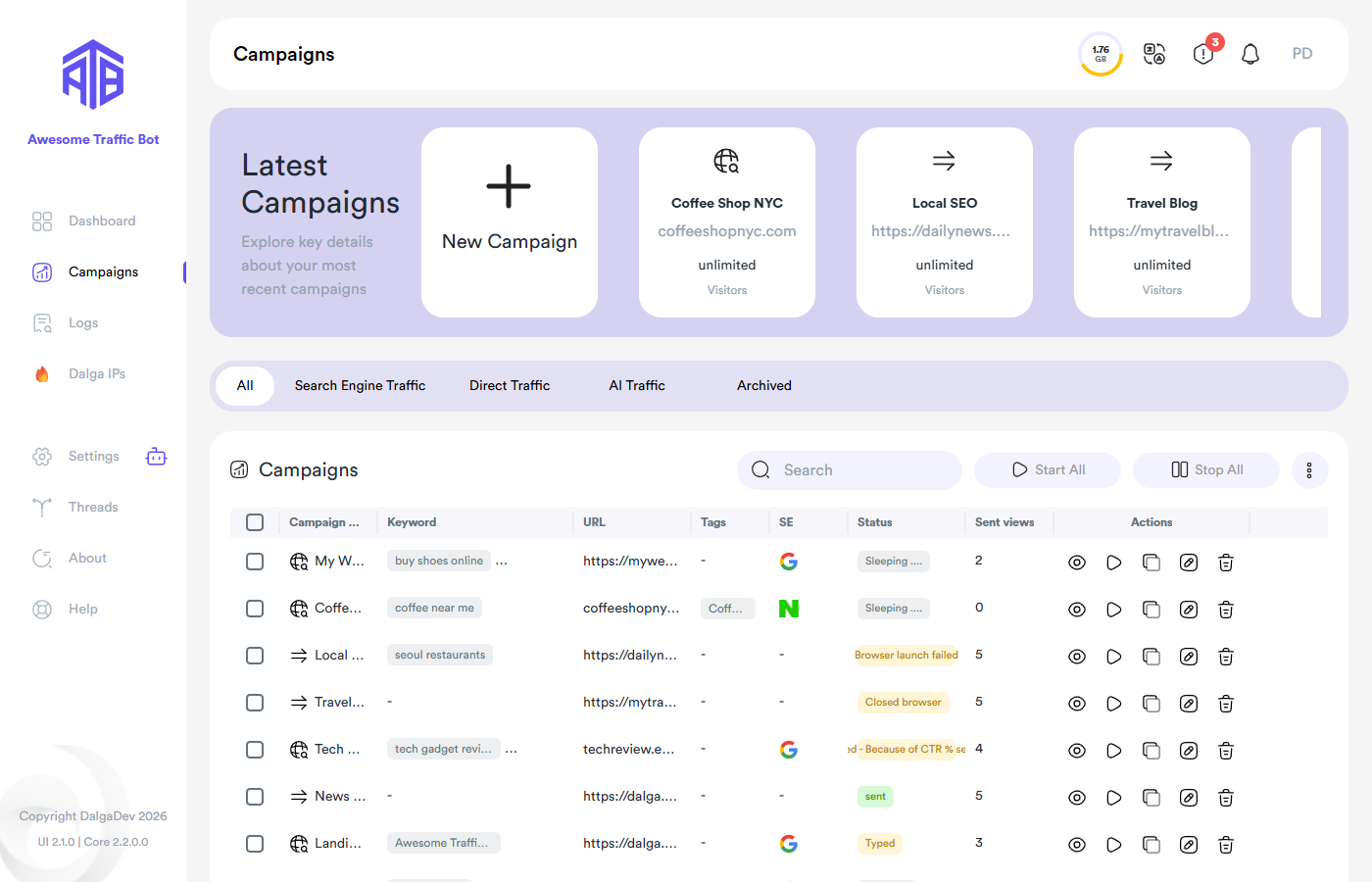
Latest Campaigns
A carousel of recently created campaigns, plus the New Campaign button that opens the wizard.
Filters
Tabs filter by type — All, Search Engine Traffic, Direct Traffic, AI Traffic, Archived — and the search box matches name, keyword, or URL. Column headers sort the table.
The campaign table
Each row shows the campaign type icon, name, keywords, URL, tags, search engine, live status, and sent views, plus per-row actions:
- Overview (eye) — the campaign's detail page with statistics and logs.
- Start / Stop — run or halt this campaign.
- Clone — duplicate it.
- Edit (pencil) — reopen the wizard. Selecting multiple campaigns enables bulk edit with modify (change only what you touch) and overwrite modes.
- Remove — delete it.
Toolbar actions
- Start All / Stop All — all campaigns, or only the selected ones.
- ⋮ (more) menu:
- Restart All — reset sent-visitor counters of the selected campaigns.
- Import — from text files, campaign files (.json/.atb), RSS feeds, or sitemaps → Import & Export.
- Export — campaign settings (.json) or CSV performance reports.
- Archive — move selected campaigns to the Archived tab → Housekeeping.
- Test — run a single test visit for the selected campaigns.
With device sharing enabled, create/run actions offer running on all or selected devices.